

Hi,
I have been experiencing a problem with the Threema app (iPhone, iOS) for some time now. As a Trusted App, it worked perfectly fine for years. Since one of the latest updates, however, Threema no longer works properly.
When I try to send a message, a “?” now appears in Threema’s message status. If I deactivate eBlocker and send a message, then everything works well It then also starts sending the previously "?"-marked ones. Similarly, messages reception does not work. I receive a notification from iOS when a message is sent to me, but then I do not see any messages within Threema unless I deactivate eBlocker.
Of course I tried to snoop traffic using the manual recording of connections within eBlocker, but there is nothing recorded. I mean the window which shows the connections stays empty.
Long story short: I have no clue what happened to Threema and I cannot trace the issue using the provided functions within eBlocker.
Is there any way to debug that? Does anyone else has the same problems with that app?
Thanks in advance!
I have the same issue currently. Whitelisting domains does not help.
Push notifications are received, but new messages are not shown and a red line appears below the upper navigation bar.
I am wondering whether this has something to do with Threema's proprietary protocol. I looked into it last year with Android. But last year it seemed that at least port 5222 worked if eBlocker is DHCP.
(I am running eBlocker in individual network settings.)
Sorry, no solution yet, I have to look into it again.
”Nice“ to hear that I am not the only one facing this issue. 😉
BTW, I am also using individual network settings.
can confirm the exact same issue.
My setup:
- eBlocker version: 3.2.3
- iPhone iOS 26.6.1 (Threema App 7.3.3) – experiencing the problem.
- iPhone iOS 18.3.1 (Threema App 4.8.3) – working without any issues.
In my experience, this started with version 7.x / 7.3. Prior to that, Threema worked seamlessly with eBlocker.
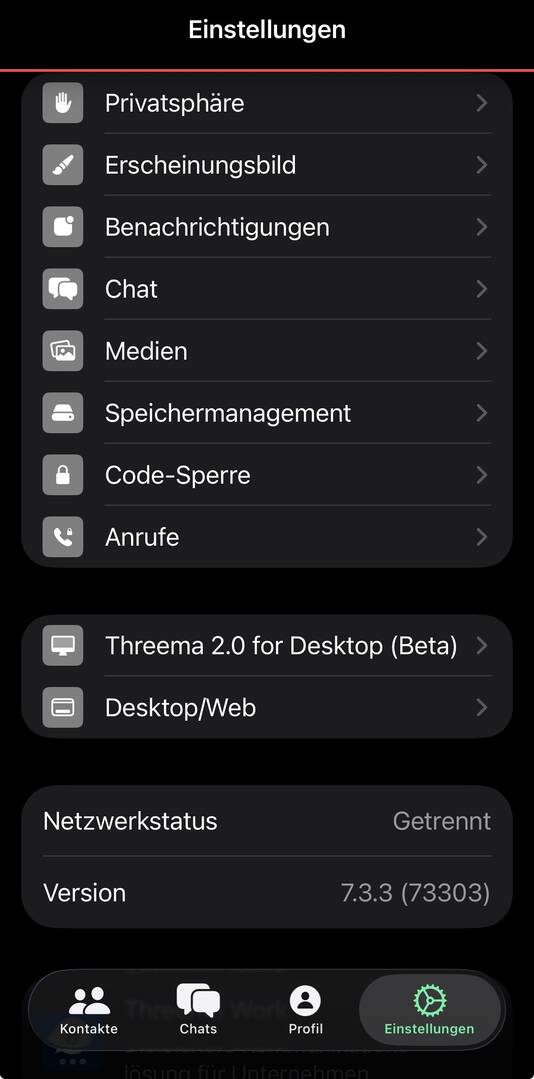
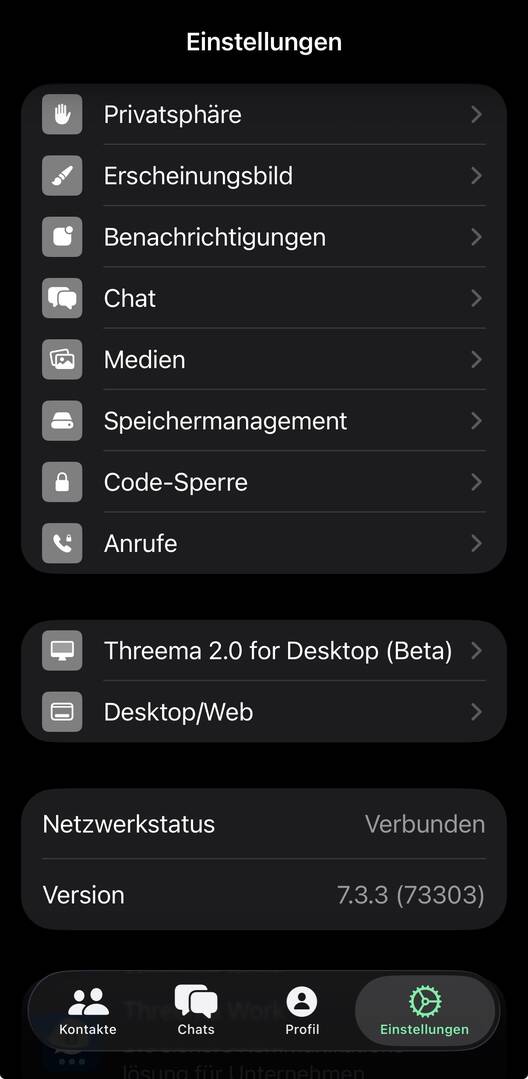
The problem is tied directly to eBlocker’s HTTPS inspection: when HTTPS scanning is active for the device, Threema fails to send and receive messages. As soon as I disable HTTPS interception for the iPhone, Threema works normally again.
with https:
without https:
I tried adding the server's IP address to the Threema trusted app in eBlocker's HTTPS settings and it seemed to help.
I saw in Wireshark that the app sent DNS requests for g-39.0.threema.ch which resolved to 203.56.112.202. I added this IP to the trusted app and the Threema app connected.
Can anyone confirm that?
(Maybe your Threema app tries other domains. The Personal Device Firewall recording in eBlocker's dashboard can help.)
Thanks for the tip, I can confirm this!
In my case, the app requested g-70.0.threema.ch, which resolved to the exact same IP address: 203.56.112.202.
After adding this IP to the Threema trusted app entry in the HTTPS settings, Threema works properly again even with HTTPS inspection enabled.
Thank you!
I tried this as well - seems to work now again. Thank you for your support!
Thank you for testing!
I have added Threema's IP range 203.56.112.0/23 to the trusted app. (Will be in the next lists update that will be built tomorrow morning.)
I hope that Threema's other message servers are in that range, too.
I have added Threema's IP range 203.56.112.0/23 to the trusted app. (Will be in the next lists update that will be built tomorrow morning.)
One question on this. I added that IP also to my Threema-App. Shall I remove that in order to take over the changed list update? In other words: is there something I need to take into account when taking over the list from the built?
You can keep your modified trusted app. When the updated list is installed, eBlocker will show that the Threema app is locally modified. You can then "reset" the app to get the updated built-in app.
Great, thank you!
Hi Boris,
On Android, however, you generally still have to briefly disable HTTPS to establish a connection with Threema.
eBlocker 4.0.3; Android 17; Threema 6.5.3
@bpr stupid question: what does it mean to “reset” the app? Whatever I do, I get this message that I modified the entry (I removed 203.56.112.202
From the customization). I can get the threema app to work again only when I add 203.56.112.202 manually again.
Indeed, this is a bit tricky: HTTPS > (tab) Trusted Apps > hit "Edit". Then select Apps to be reset. These are shown with a red "revert time" symbol. See:
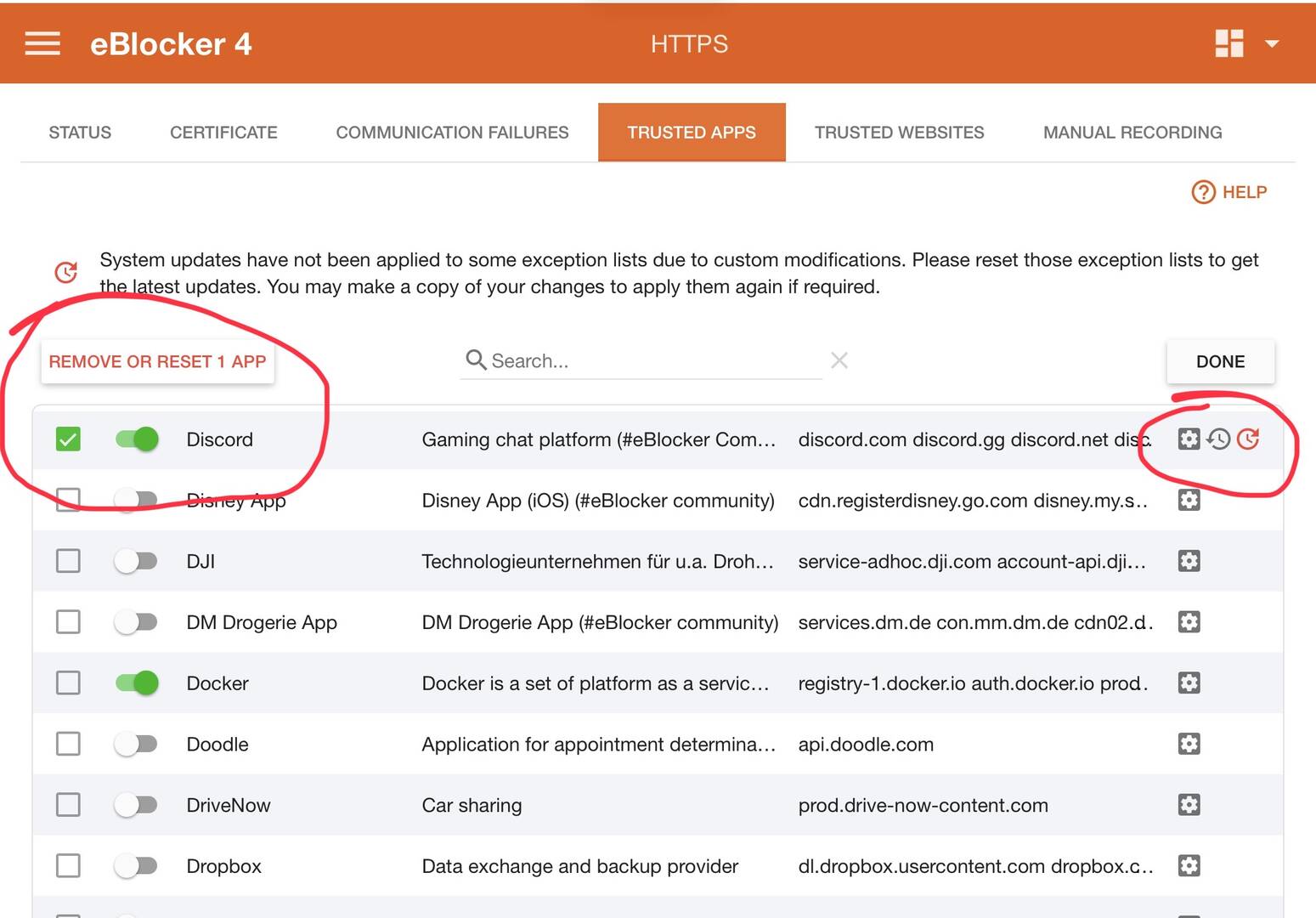
Pre-defined eBlocker Apps will return after the reset. Custom user build Apps will be removed.
I feel we should bring a "Reset App" to the App details card to ease this process @bpr.
Thank you, @benne. Putting the reset a bit closer to the "expected position" is a good idea - anyway, I will now never forget about this anymore. 😀
I agree, the reset function is hard to find. I think you almost always want to reset exactly one app, so adding a reset button to the details view makes sense.
I added an issue on GitHub: https://github.com/eblocker/eblocker/issues/457