

Hoping someone can help me figure out why I'm unable to delete entries. Reviewed the forum and haven't been able to identify a solution. Tried a reboot and also tried using FireFox instead of Safari. Get the same error. Tried single entries and different entries when trying to delete, same error.
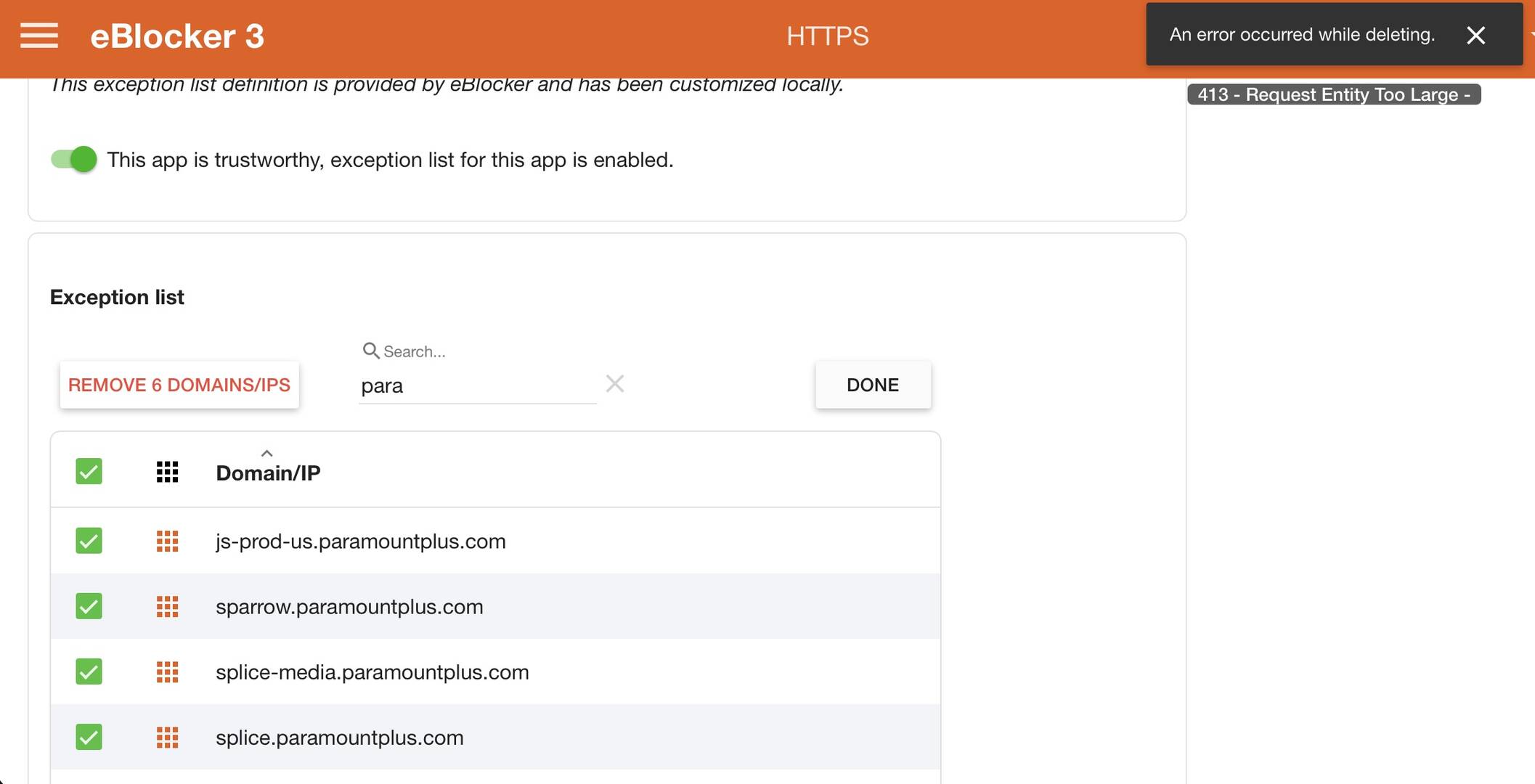
Image attached of the error I'm receiving (mouseover provides the "413..." portion). Required information regarding my configuration listed below.
- Hardware you use for running eBlockerOS
- Raspberry Pi 4B 2GB
- eBlockerOS version as well as filter lists version
- 3.2.3
- eBlocker network mode (auto, individual or expert)
- Automatic
- eBlocker network settings (IP, mask, gateway)
- 192.168.7.166, 255.255.255.0, 192.168.7.1
- Which devices runs DHCP server? Router/external, eBlocker or client fixed IP?
- Router
- IPv6 disabled for client/network?
- Yes
- eBlocker DNS firewall settings
- Use eBlocker as DNS (custom; pointed to Umbrella)
- Client network settings (IP, mask, DNS, gateway)
- N/A
- Whether eBlocker’s https integration is enabled for client
- N/A (but yes)
- Client browser and OS version (i.e. FireFox 80.1 running on macOS 13.4)
- Safari 26.3.1
- Additional non default Blockers enabled? (like DuckDuckGo, Consent-Blocker, custom lists etc.)
- No
- HTTPS Auto Trust App enabled?
- Yes
- Exact way or a link / screenshot to reproduce the issue
- See attached image
- If VPN or Tor is enabled for the client in eBlocker (and which VPN provider you are using)
- N/A
- Are automatic updates enabled?
- Yes
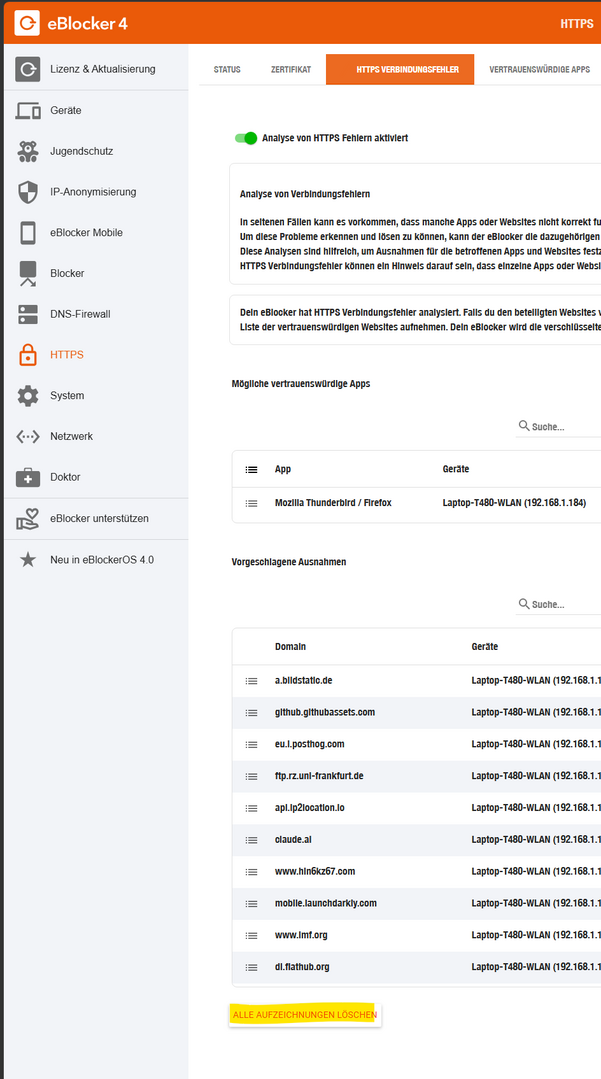
First, thank you for the reply. That's the "Delete All Recordings" button and will delete recording failures assuming you have recording of failures enabled. That's not the same thing as ATA unless I'm miss-understanding what you're recommending? Also, I only want to delete a few entries not the full list.
@jbrunerwa2 Good morning.
First of all:
1) The ATA list will be automatically filled by this function, if any website makes trouble, so this is the part you need.
2)there is already an Paramount App in "Trusted Apps" which should already work. If not make a second "private" Trusted App for your own Paramount entries and shift them from the ata to xour own app
3) do this for all entries you need and you have no builtin app for them
4) Empty the ATA app with the "delete all" button from my first screen and your problem should be gone
best regards
Again, I appreciate the reply. That doesn't resolve the issue.
Anyone else have a suggestion and/or having this same issue? I've been planning to upgrade to 4 anyway. Maybe it has been resolved in the latest major revision? I'll follow-up here with my results once I upgrade.
To my knowledge, it's not possible to remove single entries from the ATA list. This has probably not changed in eBlockerOS 4.
I'd recommend to follow @Calimero's instructions and rather eliminate the ATA list in the long run. The ATA list wont be migrated anyhow. So timing is perfect.
@benne Thanks for the reply. I'll hear you on the upgrade and the fact that the ATA list will not survive it. I need to get to 4 anyway, so I'll see what happens on the latest version.
I've really enjoyed the convenience of using the ATA. If a single unwanted entry requires wiping out the full list, I'll likely turn it off and go back to hand-building my own exceptions. Unfortunate as I think the feature has a lot of promise.