

For some devices we recommend to deactivate the eBlocker. These include Internet radios, network speakers, network printers, network attached storage (NAS), network cameras, or even IP phones.
In the eBlocker Settings > Devices, you can easily deactivate the eBlocker for these devices.
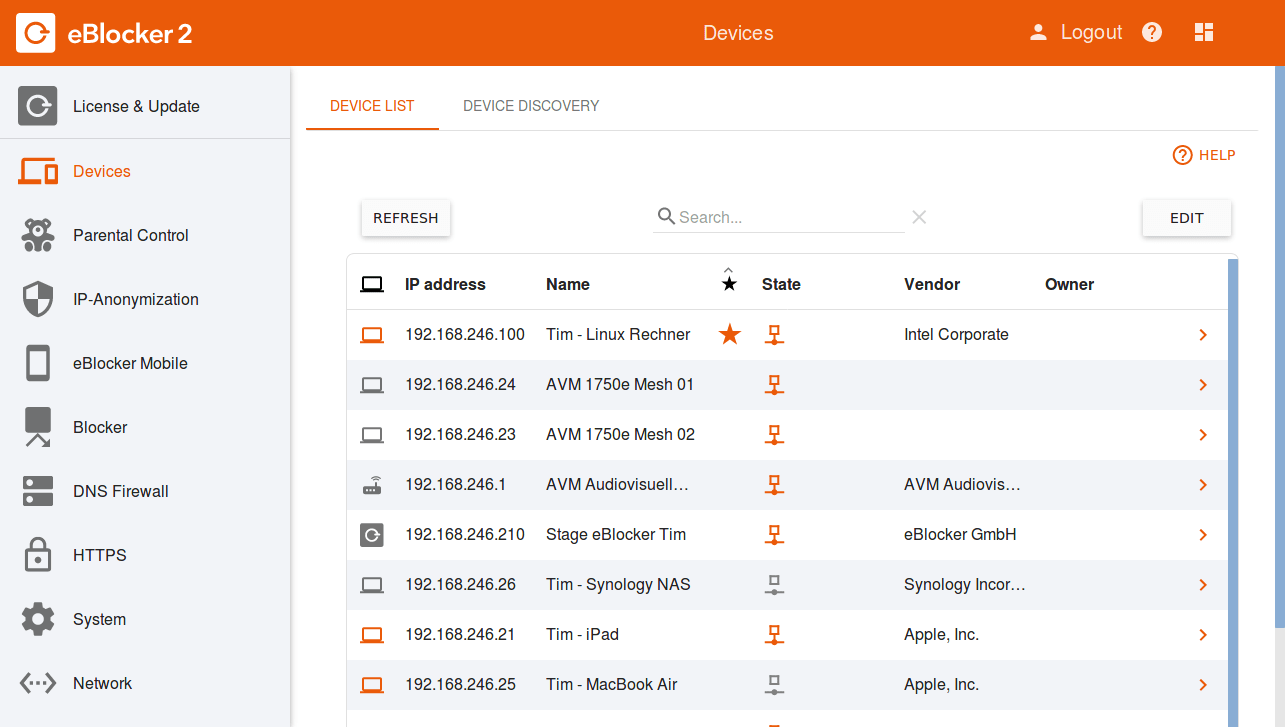
The current device you are using in eBlocker Settings > Devices menu is at the top of the list.
Search in the list for the device for which you want to deactivate the eBlocker and click on the IP address / name of the device. The eBlocker settings for this device will open.
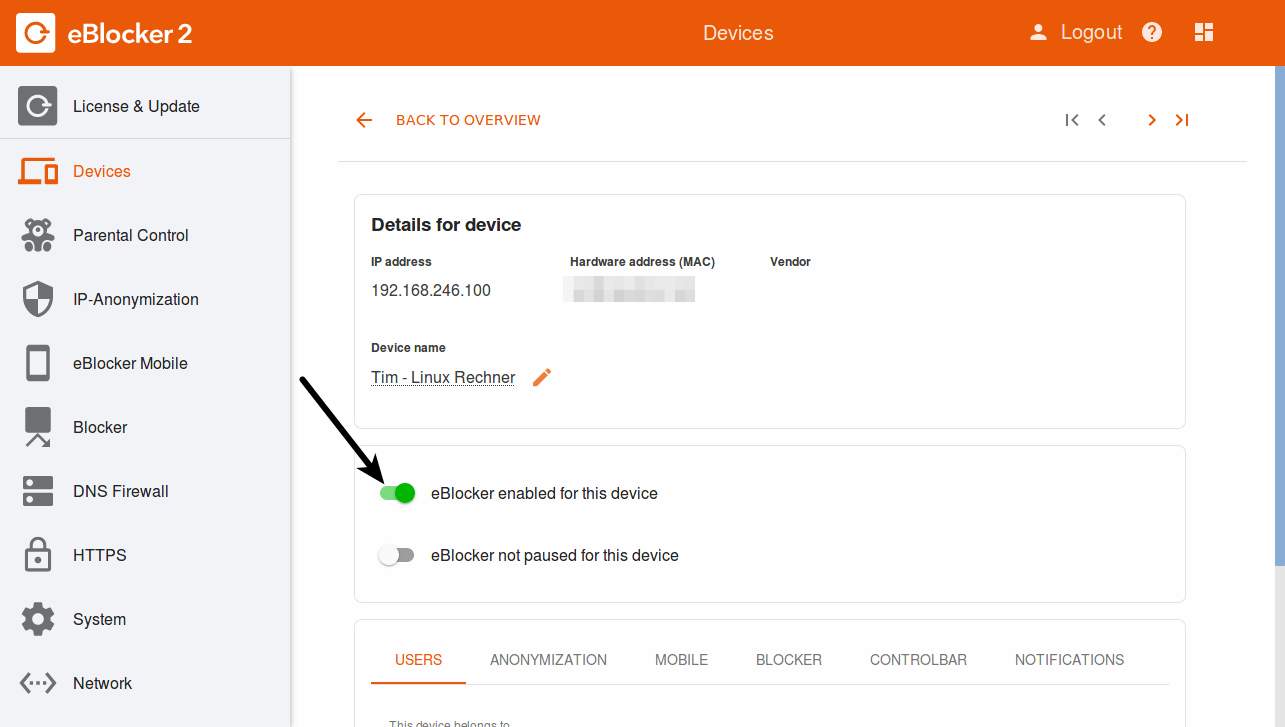
Click on the “eBlocker activated for this device” button. The switch turns grey and the eBlocker is disabled for this device.
Please also note our FAQ’s.